Revision History
Every time you save a text region, RuntCMS stores the previous version as a revision. You can view, compare, and restore any of the last 20 versions of any region.
Opening the revision history
The revision history is per-region. To open it:
- Click a text region to activate it.
- Click the History button in the runtbar.
- A panel slides in from the right side of the screen.
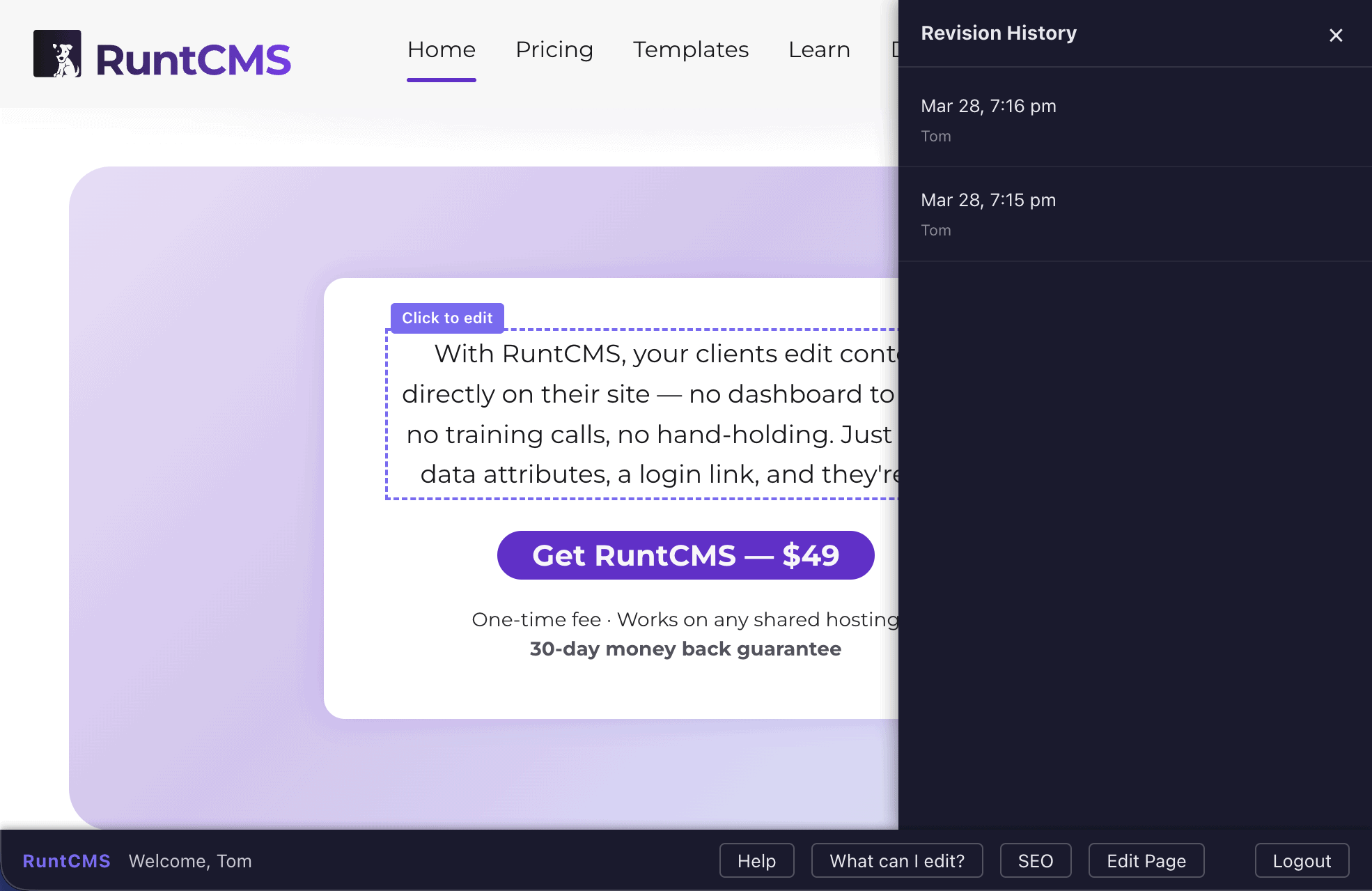
The history panel
The panel has two parts:
Revision list
The left side lists all saved revisions for the region, newest first. Each entry shows:
- The date and time it was saved
- Who saved it
Click any revision in the list to preview it.
Content preview
The right side (or below the list on mobile) shows the content of the selected revision as it would appear on the page. This is a live preview — you can see exactly how the text looked at that point in time.
The currently published version is highlighted in the list so you always know what's live.
Restoring a revision
- Select the revision you want to restore from the list.
- Review the preview to make sure it's the right one.
- Click Restore this version.
Restoring creates a new revision rather than deleting anything — so the restore action itself is recorded in the history. You can always undo a restore by selecting the revision before it.
Comparing changes
Admin accounts can see a Show changes toggle in the history panel. Turning it on shows a diff view — text that was added appears in green, text that was removed appears in red with a strikethrough.
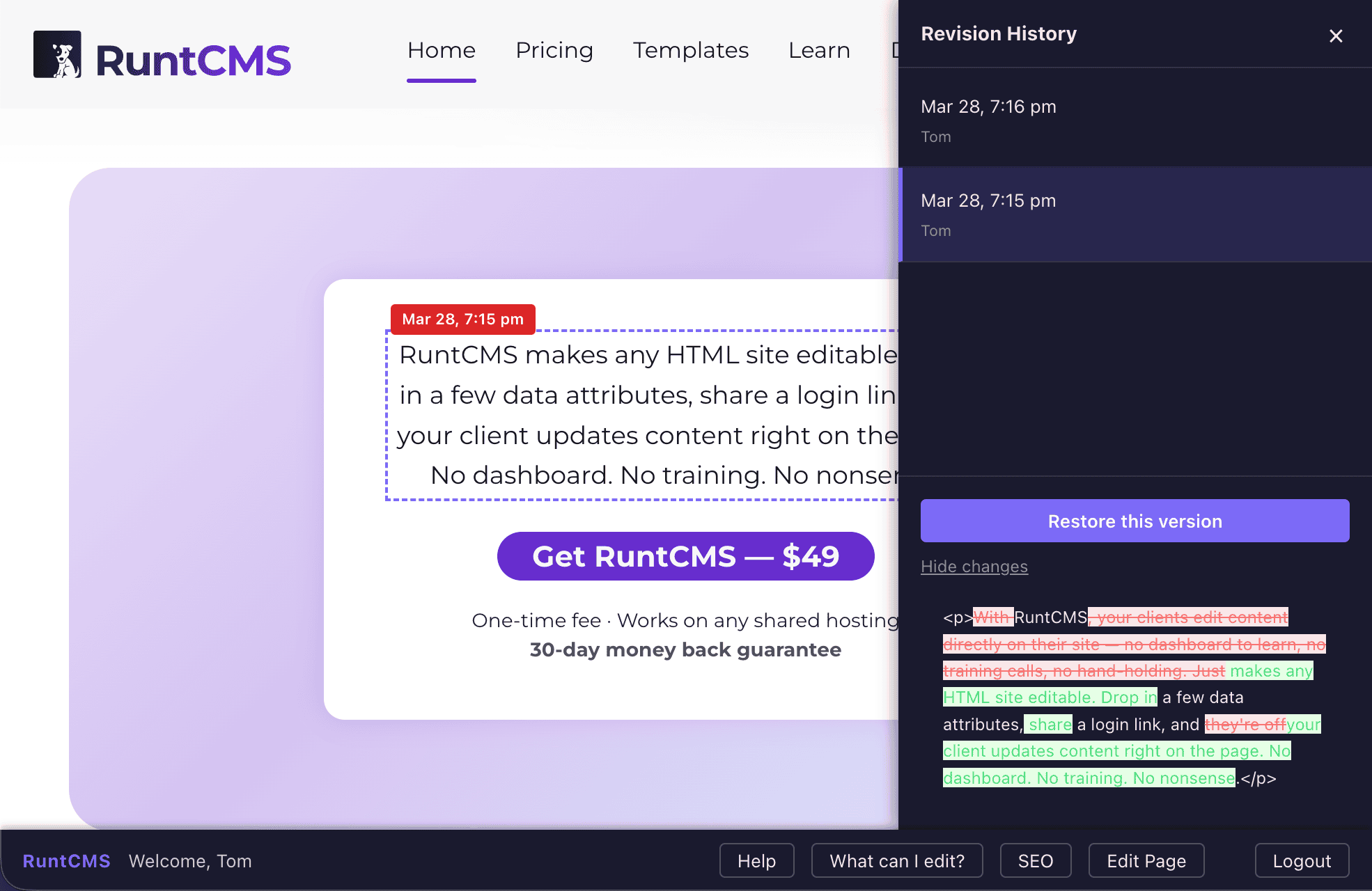
The diff compares the selected revision to the one immediately before it.
Closing without restoring
Click the ✕ button or click outside the panel. No changes are made — the live version stays as-is.
Revision limits
RuntCMS keeps up to 20 revisions per region. Once a region has 20 saved revisions, the oldest one is deleted when a new save happens. So the history window is "the last 20 saves", not "the entire history".
For text that changes frequently, this means old versions from weeks or months ago may not be available. For typical small-site content, 20 revisions is more than enough.