Partials
Partials are reusable HTML snippets that you can include in any page with a single template tag. They're perfect for headers, footers, sidebars, or any block of HTML that appears on multiple pages and contains editable content.
Why use partials?
Without partials, if you want the same editable footer on every page, you'd have to copy the footer HTML into every page file. When an editor updates the footer content, RuntCMS would need to know which page they're on — but the content should update everywhere.
Partials solve this: write the HTML once, include it on every page, and any regions inside are automatically global — editing on one page updates all pages.
Creating a partial
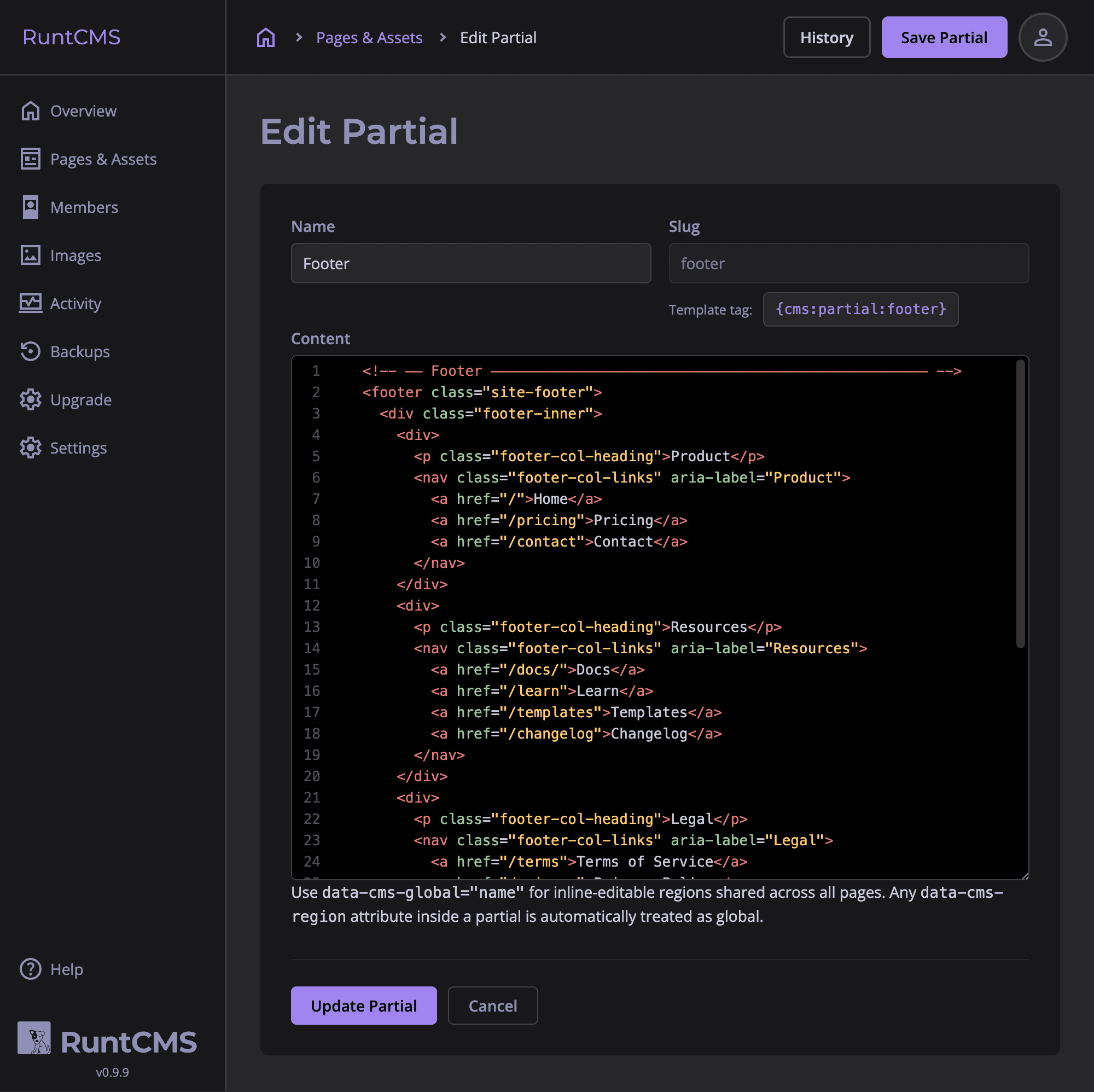
- Go to Admin → Partials.
- Click New Partial.
- Give it a name (e.g. "Site Footer") and a slug (e.g.
site-footer). - Write the HTML in the code editor.
- Click Save.
Including a partial
Use the {cms:partial:slug} tag anywhere in a page file:
<!DOCTYPE html>
<html>
<head>...</head>
<body>

  {cms:partial:site-header}

  <main>
    <h1 data-cms-region="page-title">About us</h1>
    <div data-cms-region="page-body">...</div>
  </main>

  {cms:partial:site-footer}

  {cms:system:runtbar}
</body>
</html>
Regions inside partials
Any data-cms-region attributes inside a partial are automatically converted to global regions. You don't need to use data-cms-global — RuntCMS rewrites them during the rendering pipeline.
This means editing a region inside a partial (from any page) updates that content everywhere the partial is included.
<!-- Partial: site-footer -->
<footer>
  <p data-cms-region="footer-address">123 High Street, London</p>
  <p data-cms-region="footer-phone">01234 567890</p>
</footer>
Even though data-cms-region is used here, these act as global regions because they're inside a partial.
Editing partial HTML
To change the structure or layout of a partial (not just the editable content within it), go to Admin → Partials, open the partial, and edit the HTML. This requires admin access — editors cannot change partial HTML.
footer-address to footer-location, the saved address content won't appear under the new name — the region will show its default content instead. You'd need to re-enter the content.
Partials vs page files
| Page file (cms/pages/*.html) | Partial (Admin → Partials) | |
|---|---|---|
| Edited by | Developer (text editor / FTP) | Admin (in-browser editor) |
| Editable regions | Page-specific or global | Always global |
| Included via | Direct URL routing | {cms:partial:slug} |
| Best for | Unique page layouts | Shared headers, footers, sidebars |
Example: shared header
Create a partial with slug site-header:
<header class="site-header">
  <a href="/">
    <img
      src="/cms/uploads/logo.png"
      alt="Logo"
      data-cms-global-image="site-logo"
    >
  </a>
  <nav>{cms:nav:pages}</nav>
</header>
Include it at the top of every page file:
{cms:partial:site-header}The logo is a global image — editors can replace it from any page. The nav is auto-generated from the page list.